A modern, browser-based WinISD alternative
Speaker simulation where the UX doesn'tfight you.
Simulate sealed, bass reflex, bandpass and passive-radiator enclosures in your browser. Compare response, excursion, impedance and port velocity without installing WinISD.


Try it now
Jump into an example
Load a working enclosure in one click. Your existing projects stay untouched.
Sealed
Compact 15 L sealed alignment with smooth rolloff
Dayton DCS205-4
Open in simulatorVented
55 L bass reflex tuned to 32 Hz for deeper extension
Ciare 12.00SW
Open in simulatorPassive Radiator
10 L PR alignment showing radiator behaviour and limits
Dayton DCS165-4
Open in simulatorStart from scratch
Blank canvas, pick your own driver
Open simulatorWhat it is
A modern re-imagining of DIY audio tools
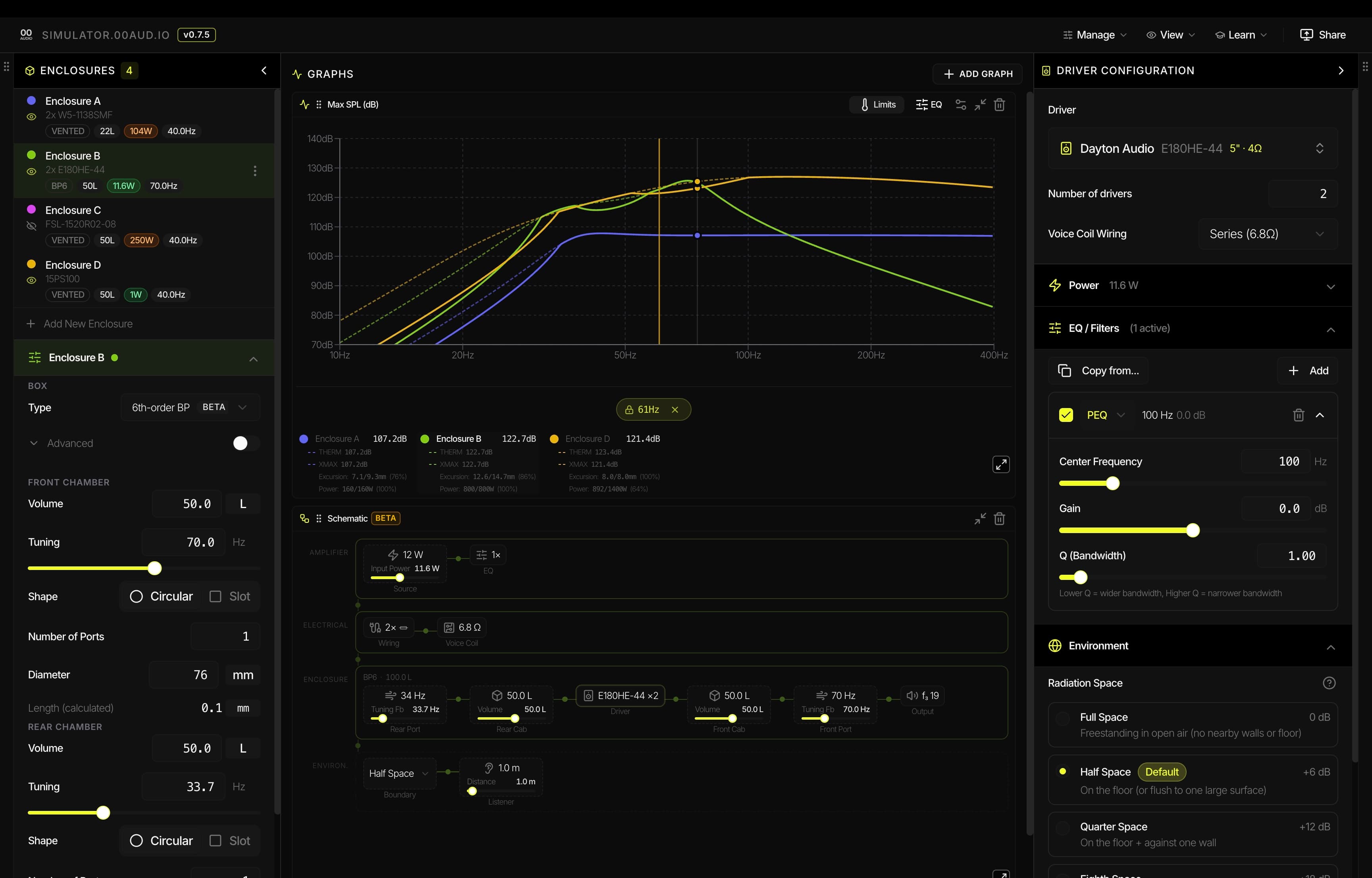
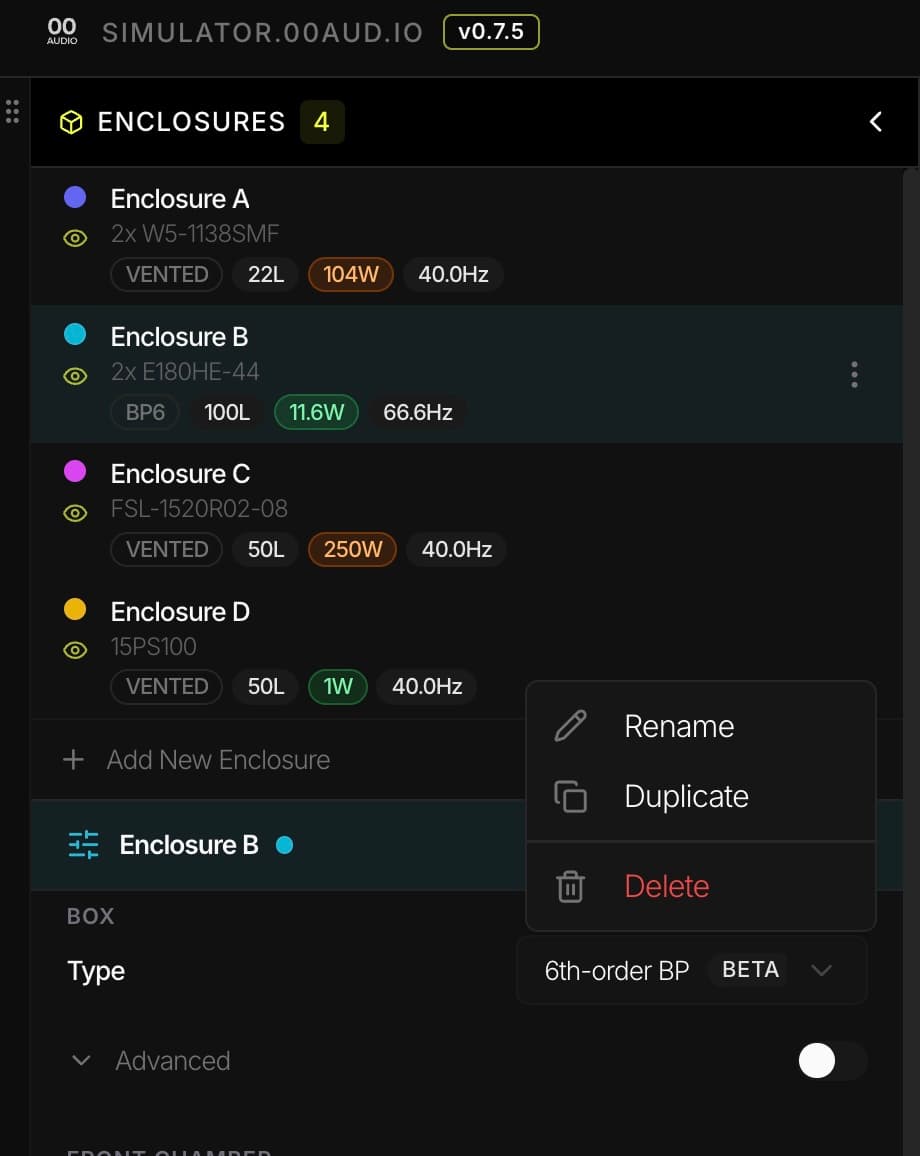
Sealed, ported, bandpass and passive-radiator simulation with the plots you actually care about: response, excursion, impedance, group delay, port velocity and more. Compare alignments side-by-side, tweak EQ on the graph, and share a link when you're done.
- Resizable charts – build your own dashboard layout
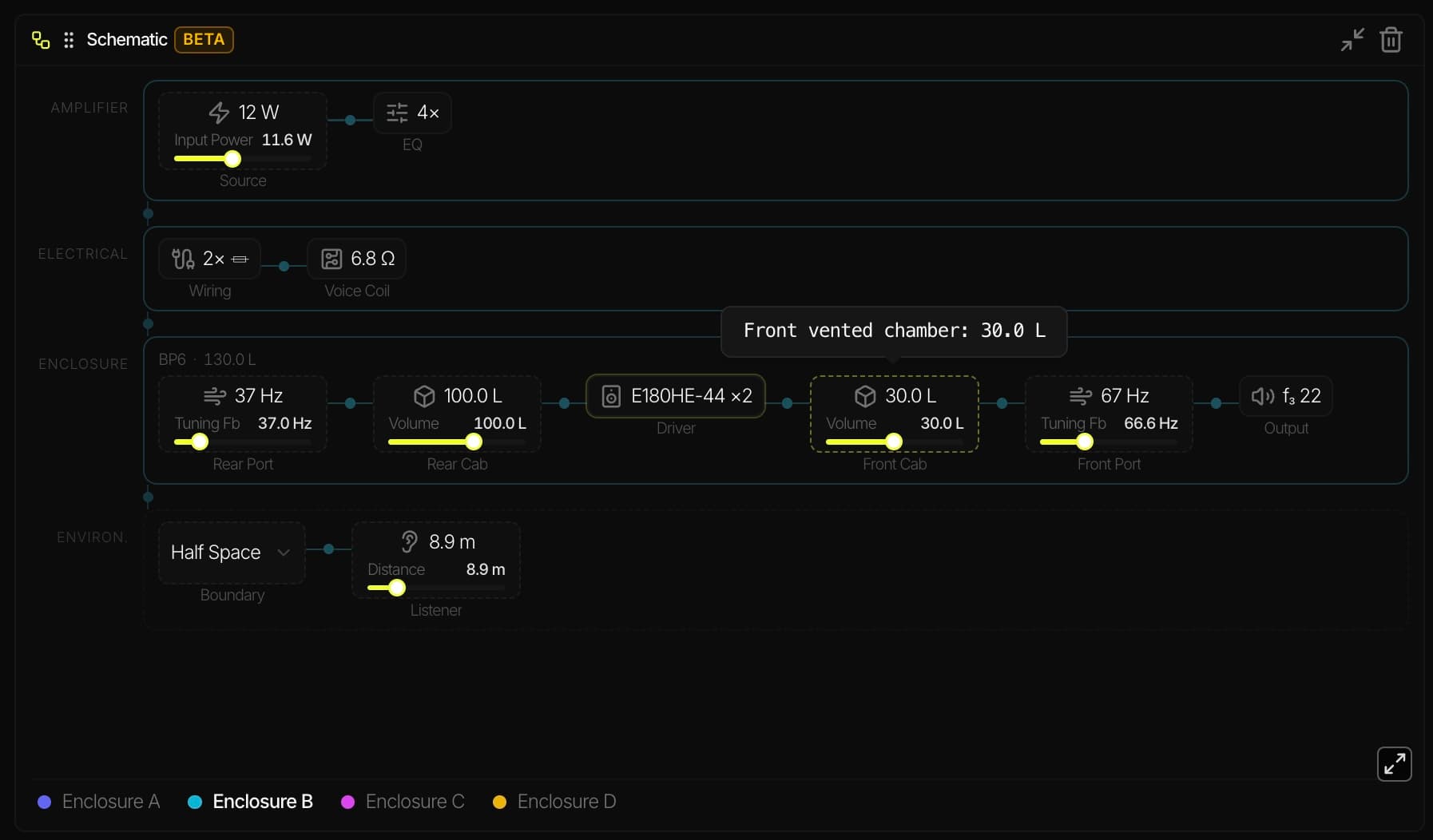
- Interactive schematic view of the full signal path
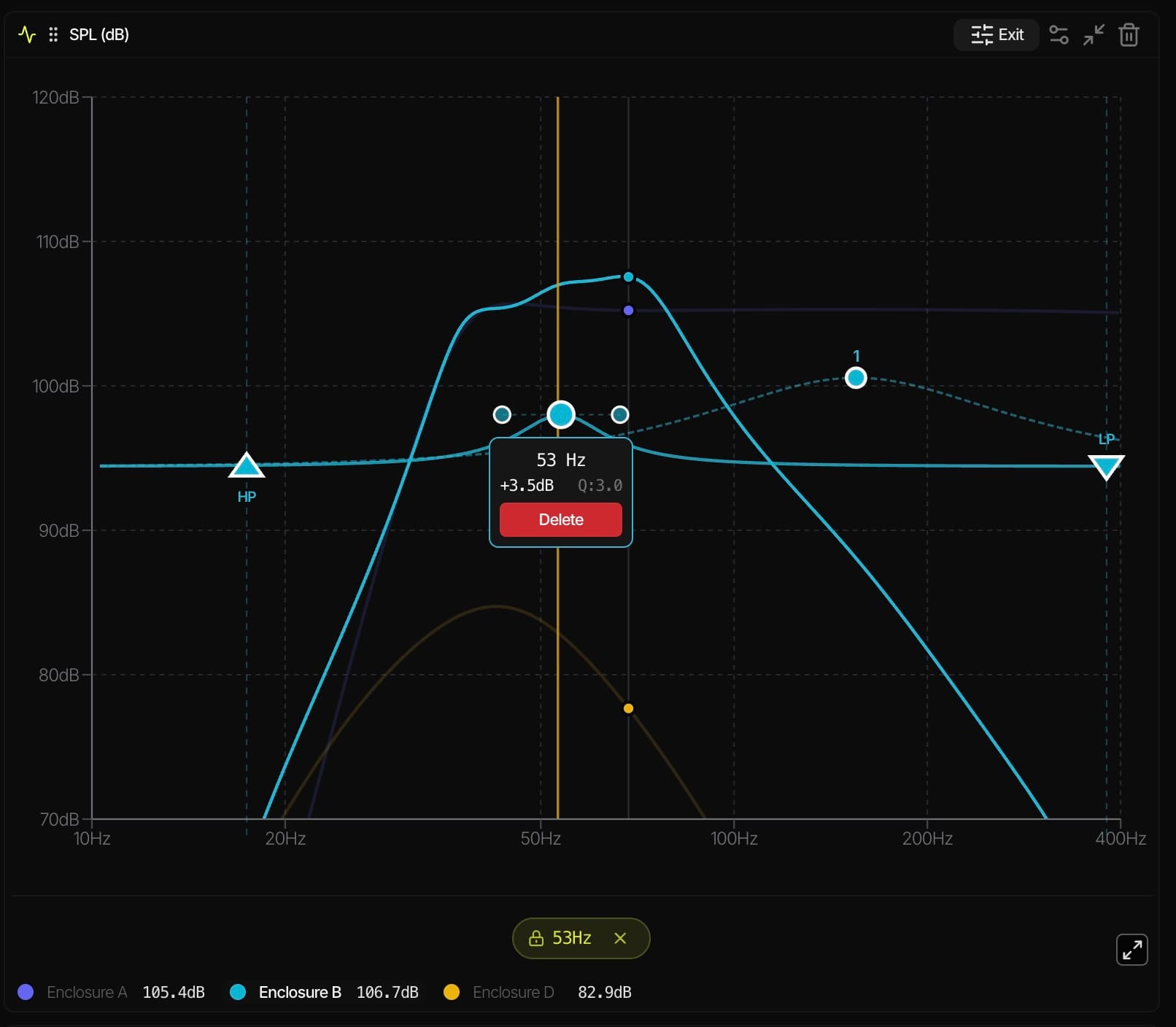
- On-graph parametric EQ editing with HP/LP filters
- Import WinISD .wdr files and Unibox spreadsheets
- Paste a spec-sheet and auto-infer T/S parameters
- Works on any device – Windows, Mac, iPad, phone
Project direction
Built for the people who use it
Not a tool that ships once and stalls. The simulator is shaped by direct feedback from builders on diyAudio, Reddit and Facebook speaker design groups.
Community roadmap
Features are prioritised from real conversations. The roadmap is public and driven by user votes.
View roadmapFast iteration
Frequent updates and patch notes. Not a legacy project gathering dust. Actively maintained and improved weekly.
Read changelogLink sharing
Generate a shareable link for any design. Help other DIYers, get feedback, or publish public reference projects.
Open source commitment
Not currently open source, but if the project ever goes stale it will be released as open source so the community can carry it forward.
Honest comparison
How it stacks up against other tools
Every tool has tradeoffs. This isn't about singing our praises. It's about helping you pick the right tool for the job. Massive respect to every author on this list for building tools the community depends on.
| 00 Simulator | WinISD | SoundEasy | HornResp | Basta! | SpeakerBoxLite | Unibox | AKABAK / BEM | |
|---|---|---|---|---|---|---|---|---|
| Author | 00 Audio. Scene newcomer. Unproven. | Juha Hartikainen. Discontinued 2013. | Bodzio Software. Long track record. | David McBean. The GOAT. Punchcards since the 1970s. diyAudio | Tolvan Data | SpeakerBoxLite team | Kristian Ougaard | R&D Team (Panzer et al.) |
| Price | Free | Free | Paid | Free | Free | Freemium (w/ paywalling) | Free | Free to $$$$ |
| Cross-platform | ||||||||
| Zero-install | ||||||||
| Status | Active, weekly | Discontinued | Active | Active, weekly | Maintained | Active | Maintained | Varies |
| Learning curve | Low | Low | Very steep | Steep | Low | Low | Medium | Very steep |
| Simulation approach | Lumped T/S | Lumped T/S + basic TL | Full system | Geometry horn/wave solver | Lumped T/S | Lumped T/S | Lumped T/S (visible formulas) | BEM / FEA |
| Enclosures | Sealed, ported, BP4, BP6, PR | Sealed, ported, BP, PR | Sealed, ported, BP, PR, more | All + horns + TL | Sealed, ported | Sealed, ported (rest paid) | Sealed, ported | All + BEM acoustic |
| Horns / TL | Not yet | Basic TL | ||||||
| Crossover design | ||||||||
| Graphs | Resizable, customisable | Basic | Advanced | Basic | Basic | Limited (paid) | Chart only | Advanced |
| Compare side-by-side | Manual | Manual | Limited | Manual | ||||
| Driver import | T/S, .wdr, Unibox, paste spec-sheet | Built-in + import | Built-in | Manual entry | Manual entry | Great built-in DB | Manual entry | Manual entry |
| Share designs by link | ||||||||
| Box cut-lists | Paid | |||||||
| Best for | Modern UX and cross-platform | Quick modelling (if you have Windows) | Everything in one tool | Horns, tapped horns and TL | Quick sanity checks | Driver DB and cut-lists | Learning the maths | Professional acoustic analysis |
Scroll horizontally to see all tools. Information is best-effort and may be outdated.
Is 00 Audio Simulator the right tool for you?
Honestly, it depends. Here's who tends to get the most out of it.
- You're fine without transmission-line or horn modelling. WinISD already covers most of what you need – you just want it in a modern UI.
- You want a clean interface that doesn't get in the way of designing.
- You want to compare multiple enclosure graphs at the same time and customise what you see.
- You have a Mac or tablet and don't want to mess around with Wine or VMs.
- You want to simulate on the go from your phone.
- You're bored of typing in T/S parameters manually – paste a spec-sheet or import a .wdr file.
- You want to share your designs online with a link.
- You're a sucker for light/dark mode.
- You want to stop pulling your dusty Windows burner-laptop out of the drawer unless you absolutely have to.
If none of these ring true, one of the tools above is probably a better fit. And that's fine. Use what works.
FAQ
Frequently asked questions
Everything you need to know about 00 Audio Simulator. Can't find what you're looking for? Get in touch.
Enough talk.